
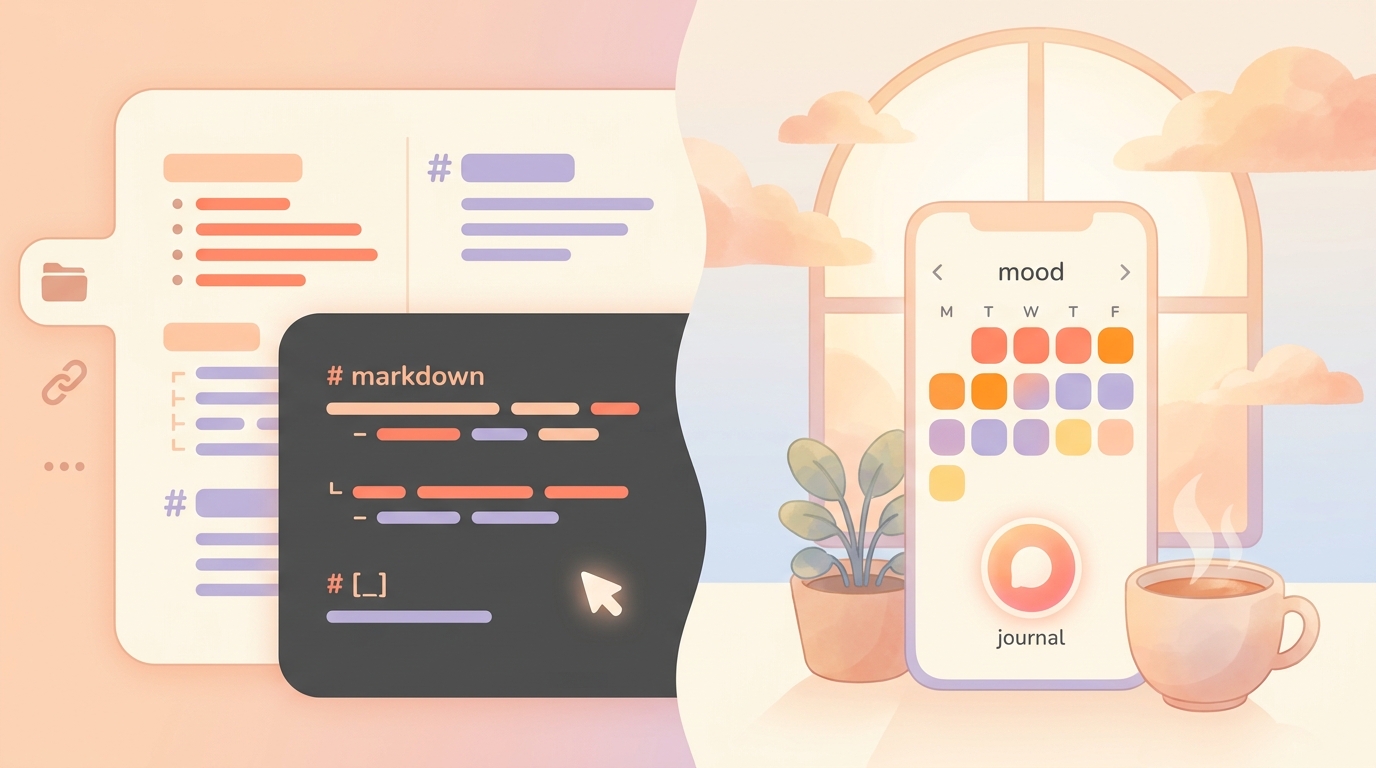
If you've been hanging around productivity forums lately, you've probably noticed a massive divide in the journaling world. On one side, you have the dedicated journal apps—beautiful, polished, but increasingly expensive. On the other side, you have the Obsidian power users, proudly showing off their custom-built, privacy-first markdown databases.
As a journaling coach who has tested over 40 apps, I decided it was time to settle the debate. I spent 60 days exclusively using Obsidian as my daily journal, pitting it against the top dedicated apps on the market.
Quick Verdict
While Obsidian (3.8/5 for journaling) offers unmatched customization for personal knowledge management, using it as a daily mood and habit tracker often leads to 'tinkering fatigue.' Dedicated journal apps like ViviDiary (4.6/5) provide structured, low-friction logging right out of the box. Instead of writing Dataview queries to see your habits, modular dedicated apps let you focus entirely on self-awareness and emotional patterns without the setup headache.
!obsidian vs dedicated journal apps comparison
The "Blank Canvas" Trap (My 60-Day Obsidian Experiment)
Let me be honest: I love Obsidian for my work notes. So, last October, I decided to move my entire journaling life into an Obsidian vault. I spent a full weekend setting up the Templater plugin to generate daily notes and wrote complex Dataview queries to track my sleep, mood, and habits.
For the first two weeks, it was exhilarating. I had complete control over the journal ecosystem lineup.
But then reality hit. On a Tuesday when I was incredibly stressed about deadlines, the last thing I wanted to do was open a markdown file, fill out YAML frontmatter, and make sure my tags were formatted correctly just to record that I was having a "Rough" day. The friction was simply too high.
When you have a completely blank page, the cognitive load of deciding how to write often prevents you from actually writing. This is exactly why so many modern app designers have abandoned the traditional blank page in favor of guided, modular inputs.
The Reality of Daily Logging: Friction vs. Flow
When we look at dedicated apps, the story changes entirely. Apps like Day One remain the gold standard for polished, out-of-the-box experiences. You open the app, tap a button, and you're logging.
However, the dedicated app market has its own issues in 2026. Day One recently introduced a $75/year Gold tier, which is a steep recurring subscription for a digital diary. Meanwhile, ecosystem-native options like Apple's Journal app have finally expanded to larger screens. But as I noted in my recent Apple Journal iPad app review, it still feels like an unoptimized, stretched-out iPhone app. That experience solidified why I prefer modular tracking over unstructured text boxes.
If you're looking for the cross platform journal apps that actually sync reliably between your phone and laptop without requiring a computer science degree, dedicated apps still win on convenience. But you have to find one that doesn't overwhelm you with features or guilt-trip you with streaks.
Why I Switched to a Modular Tracker (ViviDiary)
After my 60-day Obsidian experiment ended in burnout, I realized I didn't want a database; I wanted a mirror. I needed something that took less than 30 seconds to use on my worst days, but could hold more detail on my best days.
That's when I moved to ViviDiary.
How It Works ViviDiary is a modular mood and life tracker. The genius here is the restraint: Mood is the only required input. When you first download it, everything else is turned off. You log your mood (Great, Good, Okay, Low, or Rough), and you're done.
If you want more, you toggle on modules like memos, photos, or the 22 manual emoji categories.
What We Like - Zero Friction: I can check in under 30 seconds using just emojis and a mood rating. - Healthy "Focus" Tracking: ViviDiary's Focus module (Routines + Todos) is brilliant because it completely ditches pressure-style streaks. There are no panic-inducing "streak freeze" notifications or completion percentages. It's just a gentle personal-best count. - Pattern Discovery: The weekly "Mirror" feature shows you how your routines link to your mood patterns without being prescriptive. - Accessibility: Because it doesn't demand long-form writing, it's one of the best low-friction, modular trackers for neurodivergent users.
What Could Be Better - No Desktop App: Currently, ViviDiary is iOS and Android only. If you desperately need a desktop keyboard for long-form essays, you might miss Obsidian. - Not for the Data-Obsessed: If you want to run complex cross-referenced queries on your life data, ViviDiary's lightweight "Mirror" won't satisfy that itch.
!journal ecosystem lineup interface
Privacy Check: Local Files vs. Secure Cloud
One of the biggest arguments for Obsidian is privacy. Your files live locally on your hard drive.
But what about dedicated apps? In my recent private journal app comparison, I found a lot of confusing marketing. Let's clear it up using ViviDiary as an example.
ViviDiary is a privacy-first app, but it is cloud-stored (using Supabase). I appreciate their honesty here. They don't make misleading privacy promises like some competitors do. Instead, their privacy comes from strict data minimization and de-identification. Your diary text is de-identified before any external or optional AI processing happens. You get the convenience of secure cloud syncing without sacrificing your personal identity.
Pricing Comparison
Let's look at the actual cost of running these systems in 2026:
| Feature/App | Obsidian | Day One | ViviDiary |
|---|---|---|---|
| Base Price | Free | Free (Limited) | Free (Generous) |
| Sync/Premium | $48/yr (Obsidian Sync) | $34.99/yr (Premium) / $75/yr (Gold) | $2.99/mo or $11.99/yr |
| Core Vibe | Blank Canvas / Database | Multimedia Archive | Modular Mood Tracker |
| Setup Time | Hours/Days | Minutes | Seconds |
Note: ViviDiary's free tier is incredibly generous, including unlimited mood and emoji logging, a 3-month calendar archive, the weekly Mirror, and up to 3 Routines / 5 Todos.
Who Is Which App For?
- You love tinkering and building your own systems.
- You want your daily notes linked to your professional knowledge base.
- You strictly require offline, local markdown files.
- You want to print physical books of your journals.
- You log massive amounts of photos, videos, and audio daily.
- You don't mind paying a premium subscription.
- You want to understand your emotional patterns without the friction of writing.
- You suffer from "blank page anxiety."
- You want to track light daily routines without the guilt of broken streaks.
Final Verdict & My 5-Point Ratings
After testing both extremes of the obsidian vs dedicated journal apps spectrum, my conclusion is simple: Your journal should serve you, not the other way around.
While Obsidian is a masterpiece for knowledge management, using it for daily emotional tracking is like using a spreadsheet to paint a picture. The friction inevitably leads to abandoned logs.
For daily journaling in 2026, dedicated apps win. And right now, ViviDiary (4.6/5) is my top recommendation. It strikes the perfect balance—offering the lightness of a simple mood tracker with the pattern discovery of a much more complex system, all for a fraction of the price of legacy apps.
- Obsidian (for journaling): 3.8/5
- Day One: 4.2/5
- ViviDiary: 4.6/5
Stop tinkering with YAML tags and start actually noticing how your days feel.